Direct answer: three things to settle before you approve the connection
Linking a portfolio workflow to a brokerage account is a data-access decision before it is an investing decision. The connection screen rarely tells you what you need; the reviewable facts sit in primary documents you can read in about an hour.
Settle three questions in order. Who am I connecting to, and what is that firm’s published record? What exactly can this connection reach, and can it do anything beyond read? What happens to my data, and how do I switch the connection off and confirm it is off?
Only after those are answered does the fourth question matter: does the imported data match the official statement closely enough that your written rules can act on it. Until you have reconciled a period, treat the feed as a convenience for viewing, not a source of truth for position sizing.
- Firm check: registration status and disciplinary history through FINRA BrokerCheck: https://brokercheck.finra.org/.
- Scope check: read-only positions and history, versus permissions covering transfers, order entry, or onward data sharing.
- Data check: the firm privacy notice, read against Regulation S-P, 17 CFR Part 248: https://www.ecfr.gov/current/title-17/chapter-II/part-248.
- Reconciliation check: one full period of imported data compared line by line against the official brokerage statement.
Check the firm before you check the feature list
Start with the firm itself rather than the integration. FINRA BrokerCheck publishes registration status, business address, and disciplinary history for brokerage firms and their registered individuals (FINRA BrokerCheck: https://brokercheck.finra.org/), which is a faster read than any marketing page and harder to spin.
Write down what you found and the date you looked, including the exact firm name you searched. Similar names are common, and a screenshot in your notes saves a repeated search the next time you review your connections.
If you cannot match the entity requesting access to the entity that actually holds your securities, stop there. That mismatch is worth a support question before it is worth an approval click.
- Search the legal entity name, not the app or brand name, in FINRA BrokerCheck: https://brokercheck.finra.org/.
- Record the date of your search and what you reviewed, so the check is repeatable at your next review.
- Note whether the firm is a SIPC member, which SIPC addresses in its description of the customers and firms it covers (SIPC, What SIPC Protects: https://www.sipc.org/for-investors/what-sipc-protects).
- Resolve any name mismatch between the connecting party and the custodian before granting access.
Separate custody protection from market risk in your own notes
Investors often blur two very different failures: the firm failing, and the market moving against them. SIPC states that it protects customers of its member brokerage firms when the firm fails and customer cash and securities are missing, and that it does not protect against a decline in the value of your securities (SIPC, What SIPC Protects: https://www.sipc.org/for-investors/what-sipc-protects).
That distinction belongs in your written policy, not just in your memory. A connected data feed changes nothing about either risk, so do not let a smoother interface stand in for a protection you have not actually confirmed.
Write one short paragraph naming which failure scenarios you believe are addressed by customer protection, which are specific to your firm’s own agreements, and which are plain market risk that no connection or safeguard removes.
- Firm failure with missing cash and securities: read the coverage description directly (SIPC, What SIPC Protects: https://www.sipc.org/for-investors/what-sipc-protects).
- Decline in the value of holdings you still own: market risk, which SIPC states it does not protect against (SIPC, What SIPC Protects: https://www.sipc.org/for-investors/what-sipc-protects).
- Firm-specific operational terms: found in your account and margin agreements, not in any public coverage summary.
- Data or credential compromise: addressed by scope limits, authentication, and revocation, covered below.
Decide the access scope, and decline anything broader
The most consequential line in a connection approval is the scope. A feed that reads positions, cash, and trade history so your rules can measure drift is a different arrangement from one that can initiate transfers or submit orders, even if both appear behind the same button.
Choose the narrowest scope that lets your workflow do its job. If your rules propose trades and you place them yourself at the broker, you do not need order-entry permission at all, and refusing it removes an entire class of failure from your setup.
Also look for onward sharing. The privacy of consumer financial information framework for broker-dealers, including notice and safeguards obligations, is set out in Regulation S-P, 17 CFR Part 248: https://www.ecfr.gov/current/title-17/chapter-II/part-248, and reading the firm notice against that framework tells you what the firm says it may share and with whom.
- Write the scope you approved, in plain words, next to the date you approved it.
- Prefer read-only access unless a specific rule in your policy genuinely requires more.
- Use a separate credential for the data connection where your firm supports one, rather than your primary login.
- Enable the strongest authentication and alerting your firm offers on the underlying account.
- Record the revocation steps and how you will confirm revocation took effect, then test them once.
Reconcile one full period before your rules trust the numbers
Imported data can be complete, timely, and still wrong for your purposes. Corporate actions, pending trades, unsettled balances, and multiple share classes are all ordinary reasons a feed and a statement disagree.
Run the connection in observation mode for one full statement period. Compare positions, quantities, cash, and trade history against the official brokerage statement, and write down every difference with a cause rather than editing your records to match.
Treat unresolved differences as a stop on rule-driven action. A drift band or position-sizing limit computed from a denominator you have not verified is not a risk control; it is a guess with a decimal point.
- Match position quantities and cash balances to the statement, not to the app’s own prior day.
- Confirm whether the feed reports settled cash, total account value, or buying power, and state in your rules which figure sizing uses.
- Check that trade history includes fees and corrected trades as the statement shows them.
- Log each discrepancy, its cause, and its resolution date, and keep the log with your policy.
Check that the connected data supports your order and tax gates
Once you rely on the feed, your gates depend on it. If your rules require a specific order instruction, keep the instruction in the rule, since SEC Investor.gov describes how order types such as market and limit orders behave differently, including that a limit order sets the price you are willing to accept and may not execute (SEC Investor.gov, Types of Orders: https://www.investor.gov/introduction-investing/investing-basics/how-stock-markets-work/types-orders).
Execution and routing are reviewable from published disclosures rather than from impressions about fills. Disclosure of order execution information is addressed in 17 CFR 242.605: https://www.ecfr.gov/current/title-17/chapter-II/part-242/section-242.605, and disclosure of order routing information, including customer-specific routing information, is addressed in 17 CFR 242.606: https://www.ecfr.gov/current/title-17/chapter-II/part-242/section-242.606.
Tax gates need the same care, because broker reporting is account-by-account while your own review spans every account you control. The wash sale rules on losses where substantially identical securities are acquired within the surrounding period appear in IRS Publication 550, Investment Income and Expenses: https://www.irs.gov/publications/p550; how basis is determined and adjusted appears in IRS Publication 551, Basis of Assets: https://www.irs.gov/publications/p551; what brokers report, including whether basis is reported to the IRS, appears in the IRS Instructions for Form 1099-B: https://www.irs.gov/instructions/i1099b; and the short-term versus long-term holding period framework appears in IRS Topic 409, Capital Gains and Losses: https://www.irs.gov/taxtopics/tc409. This is process design, not tax advice, so send specific questions to a qualified tax professional.
- Map each rule to a concrete order type and time-in-force (SEC Investor.gov, Types of Orders: https://www.investor.gov/introduction-investing/investing-basics/how-stock-markets-work/types-orders).
- Locate your firm’s routing disclosures and the process for requesting routing information for your own orders (17 CFR 242.606: https://www.ecfr.gov/current/title-17/chapter-II/part-242/section-242.606).
- Keep execution conclusions tied to the specific published report you read (17 CFR 242.605: https://www.ecfr.gov/current/title-17/chapter-II/part-242/section-242.605).
- Flag imported basis and holding-period mismatches against the 1099-B rather than overwriting them (IRS Instructions for Form 1099-B: https://www.irs.gov/instructions/i1099b).
- Run the pre-sale wash sale check across accounts your workflow does not import (IRS Publication 550: https://www.irs.gov/publications/p550).
Make sure margin and trading constraints cannot outvote your sizing rule
A connected account can show buying power larger than your cash, and a sizing rule that reads that number will authorize exposure your policy never intended. Say explicitly whether your rules permit margin borrowing at all.
The constraints are published. Maintenance margin requirements, margin calls, and the pattern day trader provisions applicable to customers of member firms are set out in FINRA Rule 4210, Margin Requirements: https://www.finra.org/rules-guidance/rulebooks/finra-rules/4210. The credit framework your broker operates within is Regulation T, listed among the Board’s regulations (Federal Reserve Board, Regulations: https://www.federalreserve.gov/supervisionreg/reglisting.htm) and published as 12 CFR Part 220: https://www.ecfr.gov/current/title-12/chapter-II/subchapter-A/part-220.
Because these constraints can force action on the firm’s schedule rather than yours, write into the rule set what you do when a margin or trading-frequency constraint blocks the intended trade, and confirm in your firm’s margin agreement how equity is calculated and how calls are communicated.
- State position limits against your defined portfolio value, and verify the feed supplies that figure.
- Record which maintenance and pattern day trader provisions can apply to your account type and trading frequency (FINRA Rule 4210: https://www.finra.org/rules-guidance/rulebooks/finra-rules/4210).
- Read the credit framework your broker works within (12 CFR Part 220: https://www.ecfr.gov/current/title-12/chapter-II/subchapter-A/part-220).
- Write a fallback for a blocked trade, including whether the position stays as is until the next review.
Keep a short connection record you can actually review
Connections accumulate quietly. A one-page record turns a vague worry about access into a scheduled check you finish in minutes.
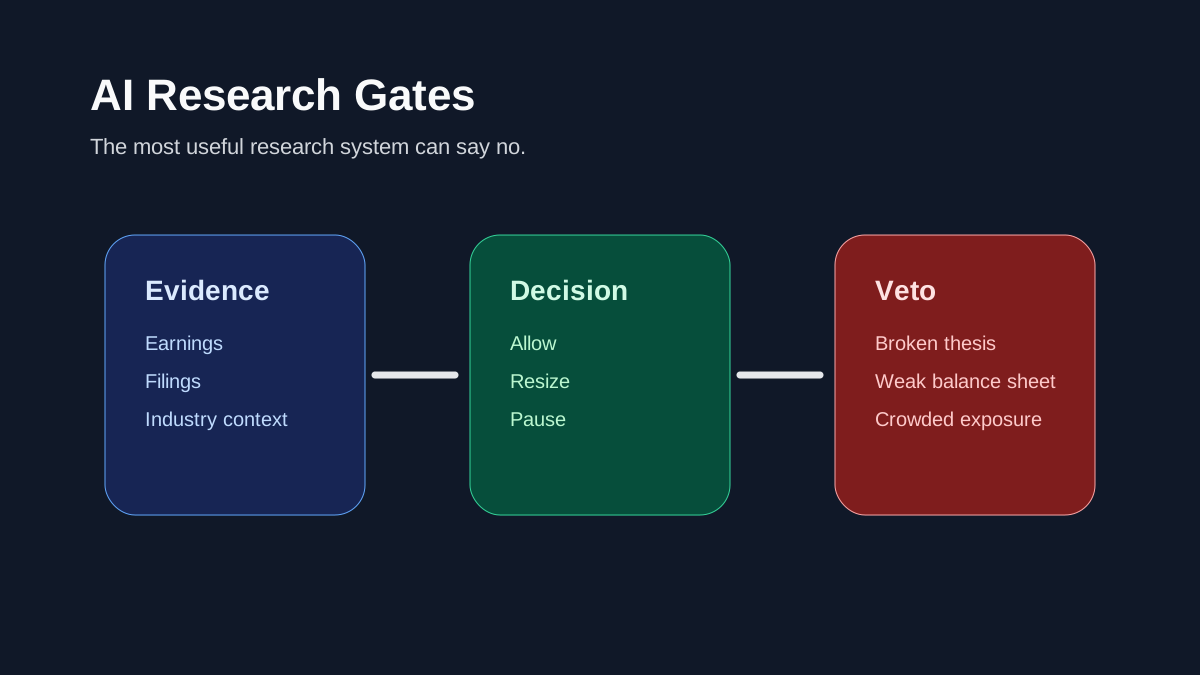
Keep it boring and current: what is connected, what scope it holds, when it was granted, what you verified, and when you will look again. The same structure Investory uses elsewhere applies here, where the rule proposes an action, the gates decide whether it proceeds, and the record shows what happened either way.
- Firm name and the date you checked FINRA BrokerCheck: https://brokercheck.finra.org/.
- Scope approved, credential used, and authentication method enabled.
- Privacy notice version reviewed, read against Regulation S-P, 17 CFR Part 248: https://www.ecfr.gov/current/title-17/chapter-II/part-248.
- Reconciliation period completed and any open discrepancies.
- Revocation steps, the date of your last revocation test, and the next review date.